
3 Patti No1 Deposit and Withdraw Guide in Pakistan
Need help with a game payment? This guide walks you through deposits and withdrawal requests with EasyPaisa or JazzCash, in clear steps.
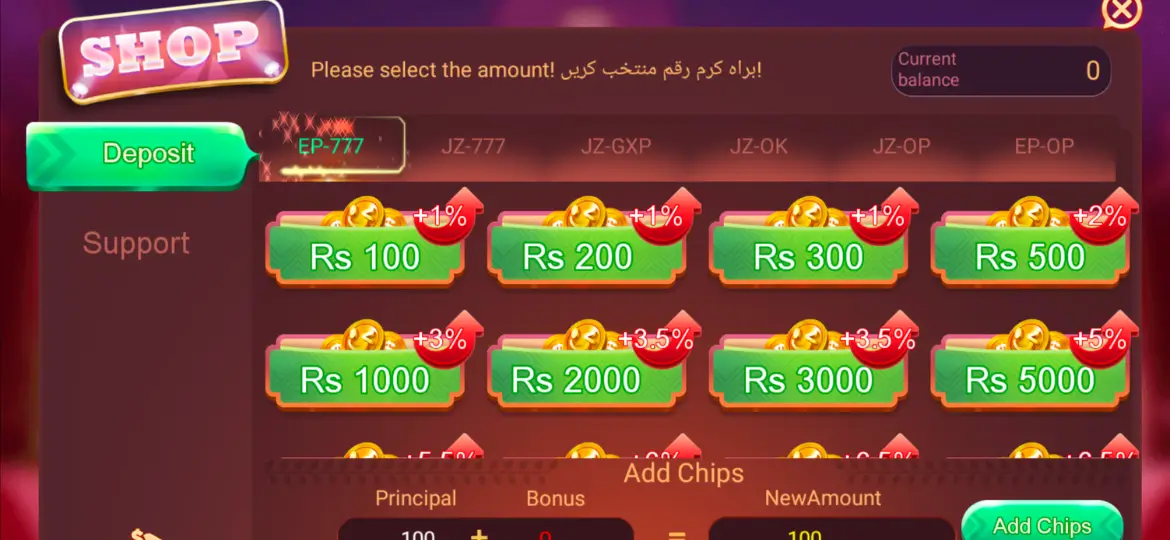
How to Deposit in 3 Patti No1
You can add funds from the game’s Wallet, Shop, or Deposit area. The exact button names may differ slightly by app version.
- Open your game account. Sign in to 3 Patti No1 and open Wallet, Shop, or Deposit.
- Choose the amount. Check the minimum and maximum shown on the screen before you continue.
- Select a wallet. Choose EasyPaisa or JazzCash from the payment methods currently available in the app.
- Check the details. Enter the mobile wallet number requested by the payment page. Make sure the number and amount are correct.
- Approve the payment. Confirm it in the official EasyPaisa or JazzCash app or payment prompt. Do not give your wallet PIN or one-time code to anyone.
- Check your game balance. Return to 3 Patti No1 and check the wallet or transaction history. Save the transaction reference if the payment is pending.
How to Withdraw from 3 Patti No1
If your account has a withdrawable balance, you can request a payout to EasyPaisa or JazzCash when that method is available in the game. Check the current withdrawal rules in the app first.
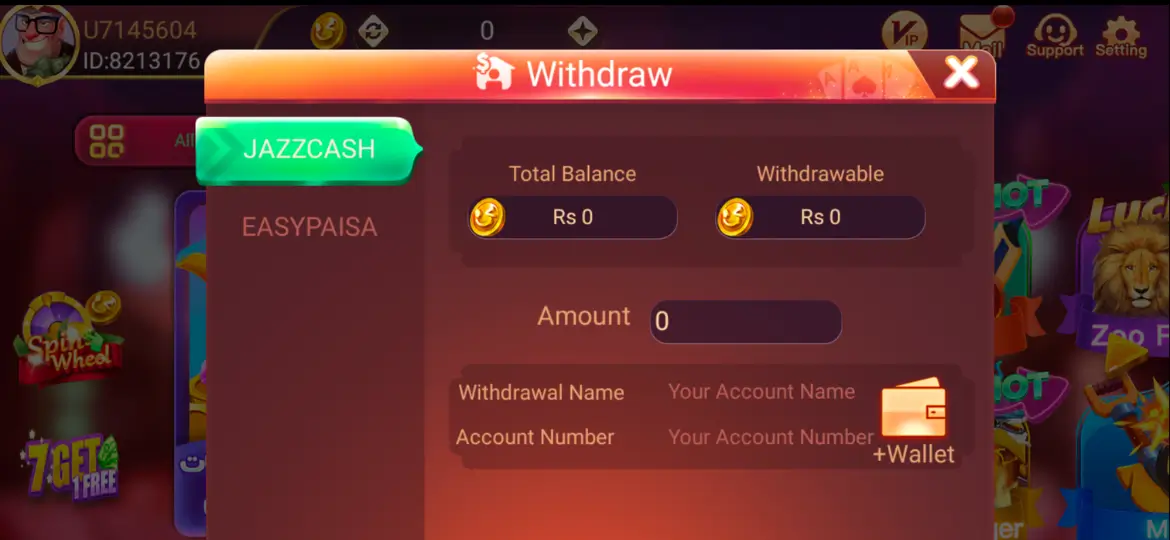
- Open Withdraw. In the game, go to Wallet or Withdraw and check that your balance can be withdrawn.
- Choose EasyPaisa or JazzCash. Select one of the withdrawal methods shown in your account.
- Enter your wallet details. Add the wallet number and account name requested by the game. Check them carefully; a wrong number can delay a payout.
- Review the request. Enter the amount, then check any minimum, maximum, fee, or verification notice displayed before you submit.
- Submit and track it. Send the request once and check its status in the game. Keep the reference number until the payment reaches your wallet.
Fees, Limits, and Processing Time
Deposit and withdrawal rules can change. Before you confirm a payment, read the amount limits, any fee, verification steps, and estimated processing time shown in the game. The wallet provider may also show a confirmation or receipt.
EasyPaisa and JazzCash transactions are handled through their own payment systems. A pending status does not always mean a payment failed, so check the transaction history before trying again.
Payment Issues and What to Do
Deposit Is Pending
Check the transaction in both the game and your EasyPaisa or JazzCash app. If it is still pending, wait for the status to update and do not pay a second time. If the game balance does not update, contact support in the game and share the transaction reference.
Money Left Your Wallet but the Game Balance Did Not Update
Keep the receipt or transaction ID and note the amount and time. Check the game’s transaction history, then send those details to in-game support. Never send your wallet PIN, password, or one-time code.
Withdrawal Is Delayed or Failed
Check the request status, wallet number, account name, balance eligibility, and the rules shown in the game. If it is still unresolved, contact in-game support with the withdrawal reference.
Wrong Wallet Details Were Entered
Check the request status and contact in-game support as soon as you can. Do not submit another withdrawal until you know what happened to the first request.
EasyPaisa or JazzCash Did Not Send a Confirmation
Open the wallet app and check its transaction history. If there is no receipt, check the game’s status too. Contact the relevant support team if the payment was charged but has no clear result.
Deposit and Withdraw FAQs
Which Payment Methods Can I Use?
Choose from the methods shown in your game account. EasyPaisa and JazzCash are common mobile wallet options, but availability can vary.
How Long Does a Deposit or Withdrawal Take?
It depends on the game, wallet provider, and transaction status. Check the time estimate in the game and keep your payment receipt. We cannot confirm the timing of an individual transfer.
What Should I Do if a Transaction Is Pending?
Do not pay or submit the request again while it is pending. Check the game and wallet app, save the transaction reference, and contact in-game support if the status does not change.
Where Can I Get Help with My Account or Payment?
This website has guides for setting up an account and making payments. For help with your account, deposit, or withdrawal, contact support inside the game. The support team can review your account and transaction details.
Should I Share My OTP or Wallet PIN with Support?
No. Keep your wallet PIN, game password, and one-time codes private. Approve payments only in the official wallet app or payment prompt.